
Gobuster Cheat Sheet: Commands and Examples for Gobuster 3.8

Gobuster is a fast brute forcing tool written in Go. It guesses names from a wordlist and reports which ones exist: directories and files on a web server, subdomains in DNS, virtual hosts, cloud storage buckets and files on a TFTP server. This cheat sheet covers the current release, gobuster 3.8.2, including the short flags that changed in 3.7.
Use gobuster on your own websites and servers, or on systems you have written permission to test. Run against your own site, it is a quick way to find forgotten backups, old admin pages and test subdomains before someone else does.
Install gobuster
| System | Command | Version you get |
|---|---|---|
| Kali Linux | sudo apt install gobuster | 3.8.2 |
| Debian 13 (stable) | sudo apt install gobuster | 3.6.0 |
| Ubuntu 24.04 LTS | sudo apt install gobuster | 3.6.0 |
| Fedora | sudo dnf install gobuster | Check dnf info gobuster |
| NixOS | nix-shell -p gobuster | Follows nixpkgs |
| Any system with Go 1.25 or later | go install github.com/OJ/gobuster/v3@latest | Latest |
| Docker | docker pull ghcr.io/oj/gobuster:latest | Latest |
Distribution packages lag behind. Debian 13 and Ubuntu 24.04 still ship 3.6.0, which uses the old short flags (for example -d for the DNS domain). If you want the commands below to work exactly as written, install 3.8.2 with go install or use the Docker image:
docker run --rm -it ghcr.io/oj/gobuster:latest dir -u https://example.com -w /path/to/wordlist.txt
For a wordlist inside the container, mount it with -v "$PWD:/data" and point -w at /data/yourlist.txt. Check what you have with gobuster --version.
Modes at a glance
| Mode | What it finds | Basic command |
|---|---|---|
dir | Directories and files on a web server | gobuster dir -u https://example.com -w wordlist.txt |
dns | Subdomains, by DNS lookups | gobuster dns -do example.com -w subdomains.txt |
vhost | Virtual hosts on a web server | gobuster vhost -u https://example.com --ad -w vhosts.txt |
fuzz | Anything you mark with FUZZ in the URL, headers or body | gobuster fuzz -u "https://example.com/?id=FUZZ" -w list.txt |
s3 | Public Amazon S3 buckets | gobuster s3 -w bucket-names.txt |
gcs | Public Google Cloud Storage buckets | gobuster gcs -w bucket-names.txt |
tftp | Files on a TFTP server | gobuster tftp -s 10.0.0.1 -w wordlist.txt |
Help for any mode: gobuster help dir or gobuster dir --help.
There is no headers or cert mode. Older versions of this cheat sheet listed them by mistake; to fuzz a header, use fuzz mode with -H.
Global options (all modes)
| Option | What it does |
|---|---|
-w, --wordlist | Wordlist path. Use -w - to read from standard input |
-t, --threads | Concurrent threads (default 10) |
-d, --delay | Wait per thread between requests, for example -d 500ms |
-o, --output | Write results to a file |
-q, --quiet | No banner or noise |
--np, --no-progress | Hide the progress line (turned off automatically when output is redirected) |
--ne, --no-error | Hide errors |
--nc, --no-color | Plain output |
--wo, --wordlist-offset | Resume from a line number in the wordlist |
-p, --pattern | File of replacement patterns, using {GOBUSTER} as the placeholder |
--debug | Debug output (replaced -v/--verbose in 3.7) |
dir mode: directories and files
| Task | Command |
|---|---|
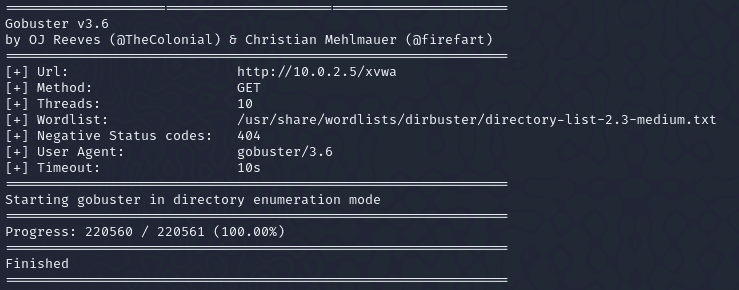
| Basic directory scan | gobuster dir -u https://example.com -w wordlist.txt |
| Look for files by extension | gobuster dir -u https://example.com -w wordlist.txt -x php,html,txt,bak |
| Only show some status codes | gobuster dir -u https://example.com -w wordlist.txt -s 200,204,301,302 -b "" |
| Hide status codes (default hides 404) | gobuster dir -u https://example.com -w wordlist.txt -b 404,403 |
| Hide responses of a given size | gobuster dir -u https://example.com -w wordlist.txt --xl 1234 |
| Self-signed certificate (your lab) | gobuster dir -u https://192.168.1.10 -w wordlist.txt -k |
| Follow redirects | gobuster dir -u https://example.com -w wordlist.txt -r |
| Add a cookie | gobuster dir -u https://example.com -w wordlist.txt -c "session=abc123" |
| Add a header | gobuster dir -u https://example.com -w wordlist.txt -H "Authorization: Bearer TOKEN" |
| Basic auth | gobuster dir -u https://example.com -w wordlist.txt -U admin -P 'password' |
| Look for backups of each file found | gobuster dir -u https://example.com -w wordlist.txt -x php --db |
| Print full URLs | gobuster dir -u https://example.com -w wordlist.txt -e |
| Slow and polite | gobuster dir -u https://example.com -w wordlist.txt -t 5 -d 200ms |
| Through a proxy (for example Burp or ZAP) | gobuster dir -u https://example.com -w wordlist.txt --proxy http://127.0.0.1:8080 |
Notes:
-s(show) and-b(hide) work against each other.-bdefaults to404, so to use-son its own, blank it with-b "". Both accept ranges such as200,300-399.- If the server answers a made-up URL with a status you asked to see (a “soft 404”), gobuster stops at its pre-check. Find the size of that page and hide it with
--xl. Use--forceto carry on regardless, only if you know why the check failed. - From 3.7, lines starting with
#in a wordlist are no longer skipped. Some popular lists start with comment lines; they now become (harmless) requests.
dns mode: subdomains
| Task | Command |
|---|---|
| Basic subdomain scan | gobuster dns -do example.com -w subdomains.txt |
| Faster, 50 threads | gobuster dns -do example.com -w subdomains.txt -t 50 |
| Use a specific resolver | gobuster dns -do example.com -w subdomains.txt --resolver 1.1.1.1:53 |
| Resolver over TCP | gobuster dns -do example.com -w subdomains.txt --resolver 1.1.1.1:53 --protocol tcp |
| Also check CNAME records | gobuster dns -do example.com -w subdomains.txt -c |
| Carry on when a wildcard record is found | gobuster dns -do example.com -w subdomains.txt --wc |
The domain flag is -do (--domain) in 3.7 and later. In 3.6 and older it was -d, which now means --delay. --show-cname was renamed --check-cname. If an old tutorial’s command fails, that is usually why.
If gobuster warns about a wildcard, your domain answers for any name. You can confirm it by looking up a random name such as nothere123.example.com in the DNS Lookup tool.
vhost mode: virtual hosts
| Task | Command |
|---|---|
| Append the domain to each word | gobuster vhost -u https://example.com -w vhosts.txt --ad |
| Target an IP, test names under a domain | gobuster vhost -u https://203.0.113.10 -do example.com --ad -w vhosts.txt |
| Hide a response size | gobuster vhost -u https://example.com --ad -w vhosts.txt --xl 4523 |
| Adjust the hidden size for the hostname length | gobuster vhost -u https://example.com --ad -w vhosts.txt --xl 4523 --xh |
| Hide status codes | gobuster vhost -u https://example.com --ad -w vhosts.txt --xs 400-404 |
Without --ad (--append-domain), gobuster sends each word as the full host name, so a list of plain words like dev and staging tests Host: dev rather than Host: dev.example.com. Gobuster 3.7 and later warn you when this looks like a mistake.
fuzz mode: anything else
Put the keyword FUZZ where each word should go.
| Task | Command |
|---|---|
| Fuzz a query parameter | gobuster fuzz -u "https://example.com/item?id=FUZZ" -w ids.txt |
| Fuzz a parameter name | gobuster fuzz -u "https://example.com/?FUZZ=1" -w params.txt |
| Fuzz a header | gobuster fuzz -u https://example.com -H "X-Custom-Header: FUZZ" -w list.txt |
| Fuzz a POST body | gobuster fuzz -u https://example.com/login -m POST -B "user=admin&pass=FUZZ" -w list.txt |
| Hide status codes | gobuster fuzz -u "https://example.com/?id=FUZZ" -w ids.txt -b 404,500 |
| Hide a response size | gobuster fuzz -u "https://example.com/?id=FUZZ" -w ids.txt --xl 0 |
The request body flag is -B (--body). -d is the global delay in current versions, so commands from older guides that pass the body with -d won’t do what you expect.
Wordlists
Kali ships wordlists under /usr/share/wordlists/ (for example dirb/common.txt), and the seclists package adds the SecLists collection under /usr/share/seclists/, including Discovery/Web-Content/ for dir mode and Discovery/DNS/ for dns mode. To build your own list from a set of characters or a pattern, see the Crunch wordlist cheat sheet.
Start small. A short list such as common.txt finishes in seconds and catches most of the obvious mistakes; save the multi-million line lists for when you have a reason.
What’s changed recently
- 3.8.2 (early January 2026): the current release. 3.8.1 and 3.8.2 fixed expanded mode (
-e) printing entries twice and then not showing the full URL. - 3.8: added
--xh(--exclude-hostname-length) for vhost mode, fixed fuzzing of query parameters, and added--forcetodirmode. - 3.7: moved to a new CLI library with many more short flags. Breaking changes: the DNS domain is now
-do,-dis--delay,--show-cnamebecame--check-cname,-v/--verbosebecame--debug, and comment lines in wordlists are no longer ignored. It also added--interfaceand--local-ip, TCP for DNS resolvers, and Host header fuzzing.
Security notes: there are no security advisories for gobuster’s own code. Some distributions (Chainguard and Wolfi, for example) publish rebuilt packages when a Go library it depends on gets a fix, so keep it updated through your package manager like anything else.
Related tools
Gobuster is one of several tools for this job. dirb is the older, single-threaded option with built-in wordlists. Once you know what is on the server, Nikto checks it for known misconfigurations and outdated software.
Sources
- Gobuster on GitHub: README, install steps and changelog
- Gobuster 3.7.0 release notes
- Debian package tracker: gobuster and 3.8.2 changelog
- Kali Linux tools: gobuster
- Fedora packages: gobuster
- Snyk: gobuster package advisories (Wolfi)
- Gobuster 3.8.2 source (
cli/flag definitions), from the Ubuntu archive
Updated 21 November 2026: rewritten for gobuster 3.8.2 with per-mode command tables, the flag changes from 3.7 (-do, --delay, --debug), current install options, and removed the headers and cert modes, which don’t exist.